

OMCI FORGE / XANTUS
OMCI Forge and the Xantus OMCI dashboard
Our own GiaX XGS-PON SFP+ ONU enables OMCI integration of Xantus with existing PON management systems, including firmware updates and MACsec provisioning. OMCI Forge and the Xantus OMCI dashboard make this integration visible, testable and traceable.
The screenshots show anonymised lab data in a prepared dashboard view.
The Xantus OMCI dashboard
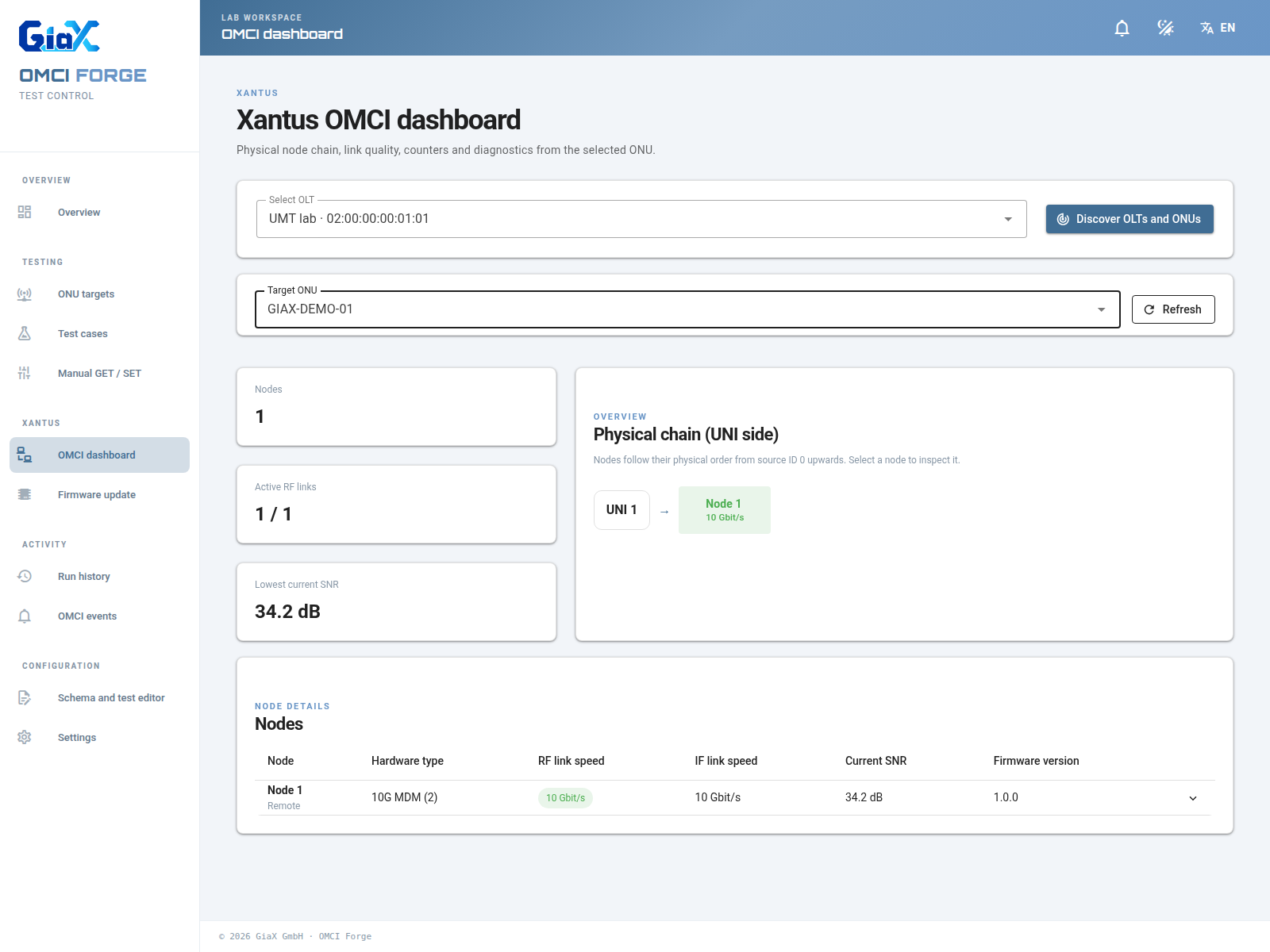
The Xantus OMCI dashboard is the central view for our own product family. It arranges discovered Xantus nodes in their physical order and brings device identity, RF and interface link speeds, signal quality, and firmware information together on one screen. Where the corresponding Managed Entities are available, engineers can open a node to inspect Ethernet counters, cable diagnostics, and coax test data. The link values in this prepared view came from read-only OMCI GET requests to a Xantus ONU.
The setup shown here uses our own GiaX XGS-PON SFP+ ONU. It provides the OMCI connection to the PON management system. With standard OMCI functions and Xantus-specific Managed Entities, this extends beyond status queries to firmware updates, MACsec provisioning and other operational functions. OMCI Forge helps test and document these workflows in the lab.
Targets at a glance
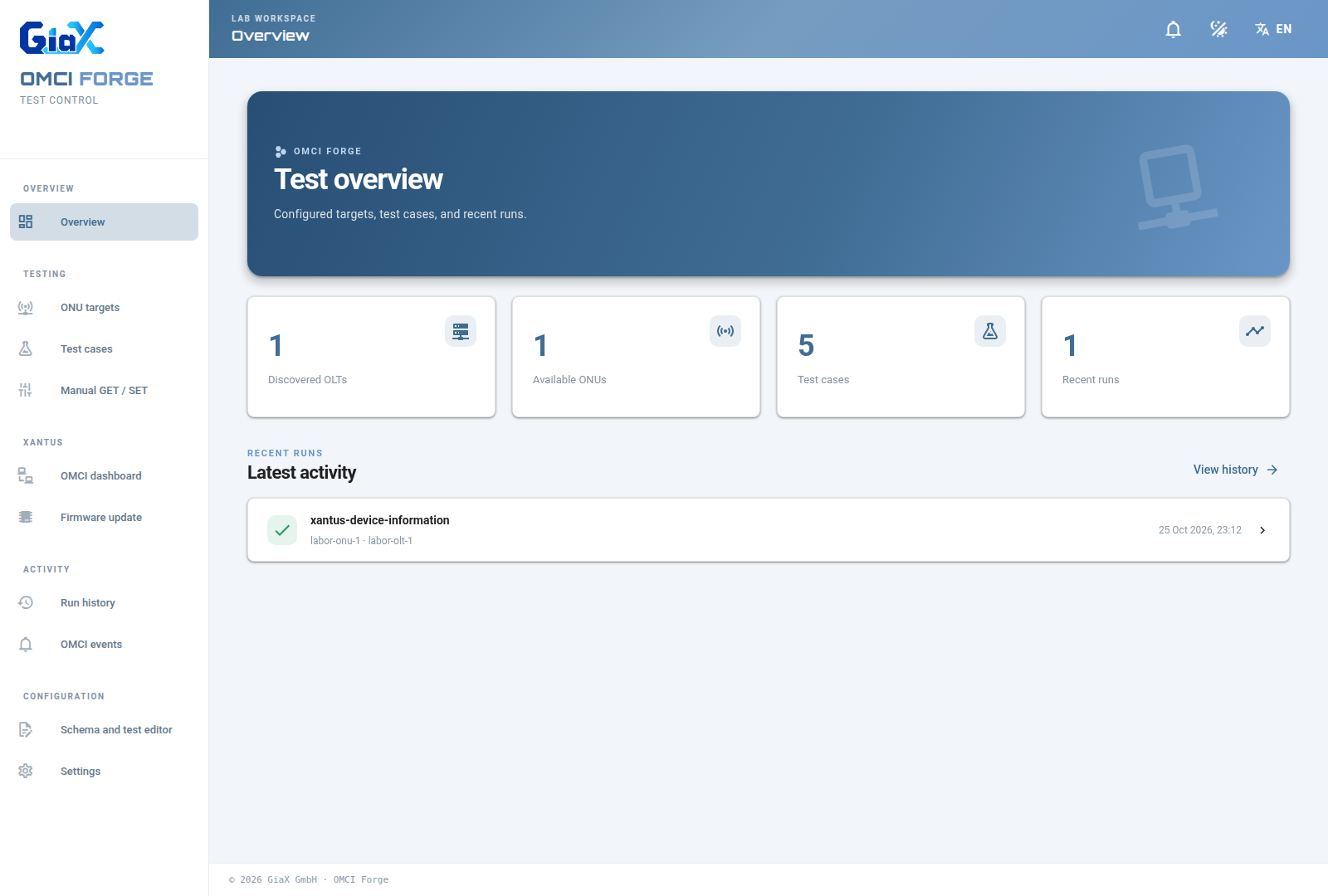
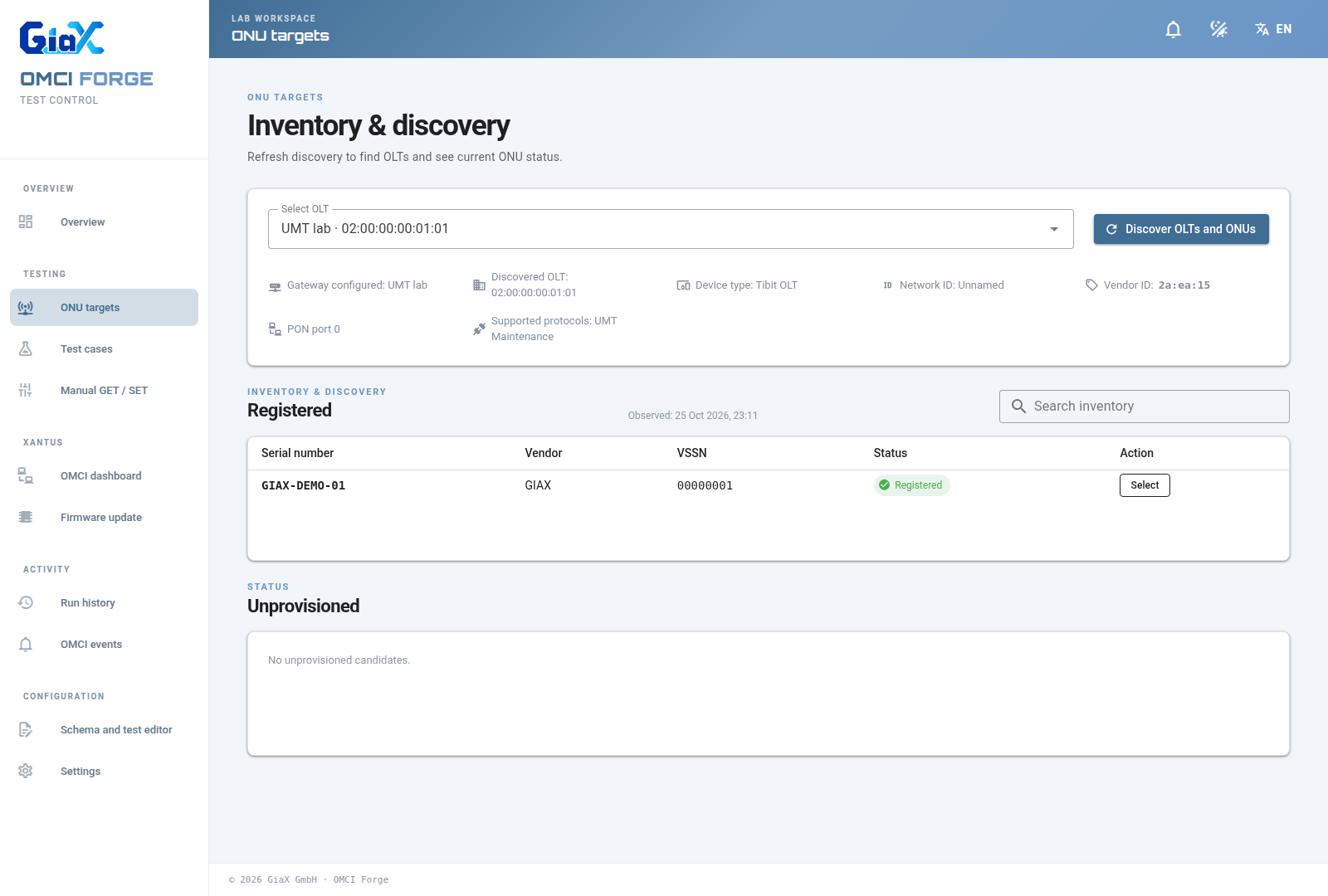
OMCI Forge also gives the test team a concise overview of the available targets, test cases, and recent runs. Its gateway discovers OLTs and registered ONUs in the lab, so a test can be tied to a specific device rather than an ambiguous address or a manually copied identifier.
Prepare repeatable tests
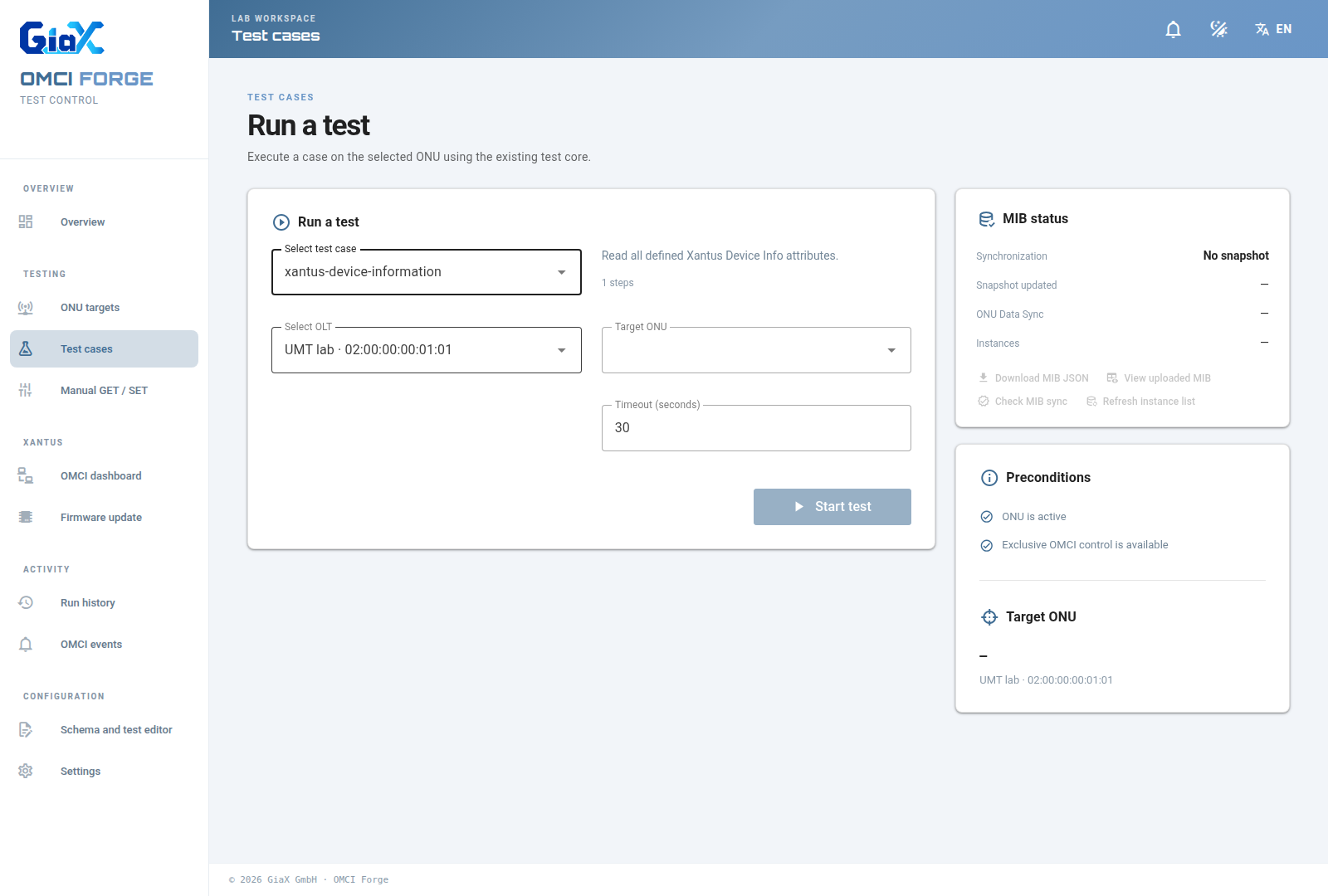
Tests are defined as reusable cases against typed Managed Entity schemas. The dashboard lets an engineer choose a case, an OLT, and a target ONU, while the same test core remains responsible for the OMCI exchange. The Xantus device-information case shown here reads hardware identity and firmware attributes; other cases and schemas can be added as requirements evolve.
Trace every result
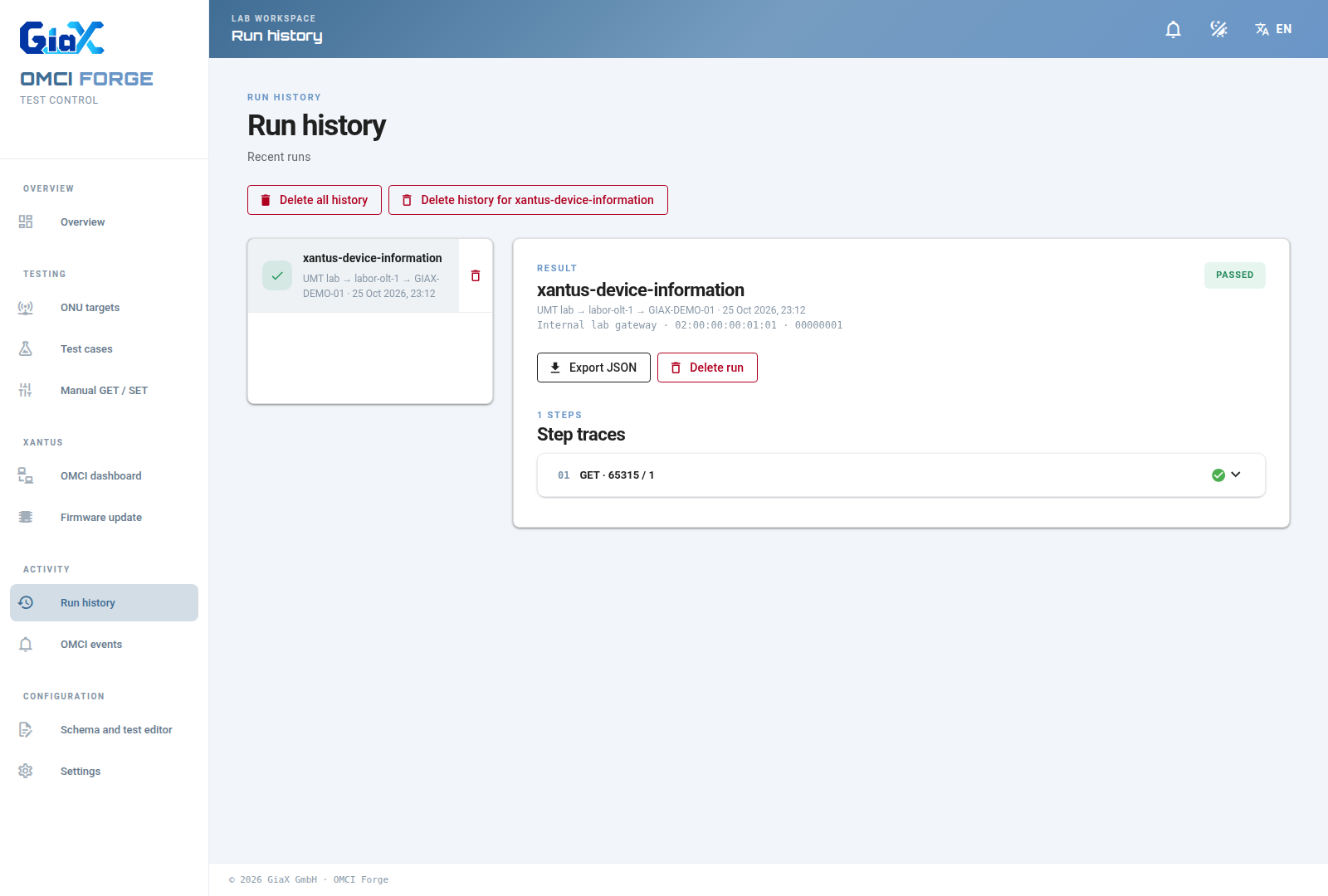
After execution, OMCI Forge keeps the result and its individual steps together. Engineers can inspect decoded attributes and the underlying request and response data, then export a JSON report for further analysis. The run shown below is based on a successful, read-only Xantus device-information test from our lab.